


Before you begin
Have your new sponsor’s SkilledTradesBC organization ID ready.
Instructions
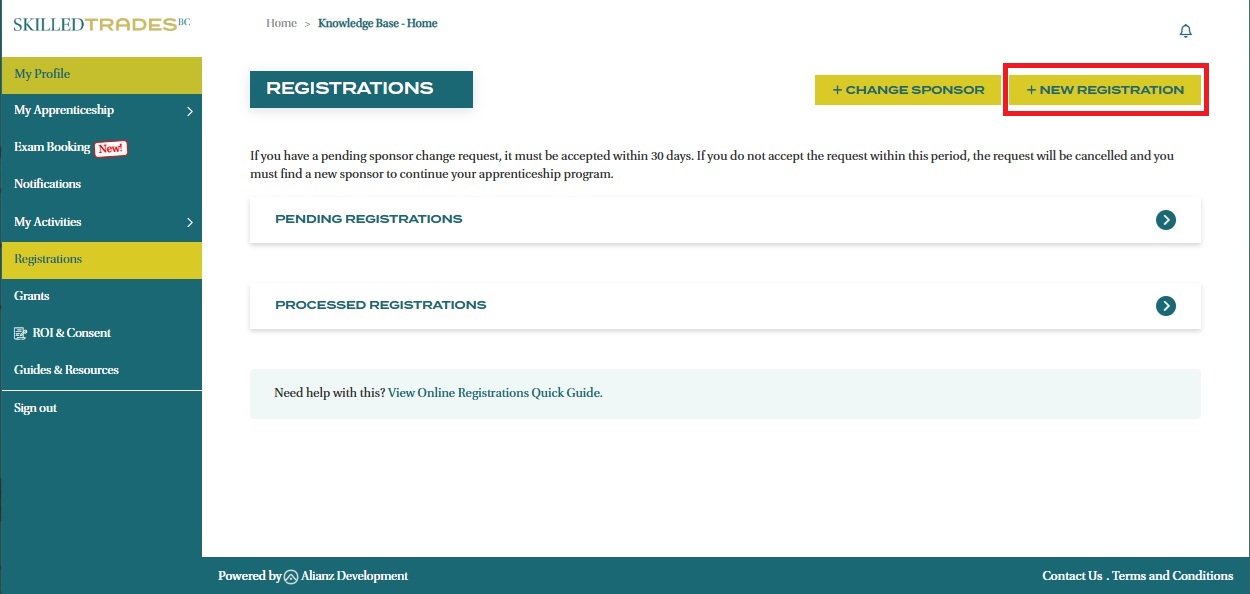
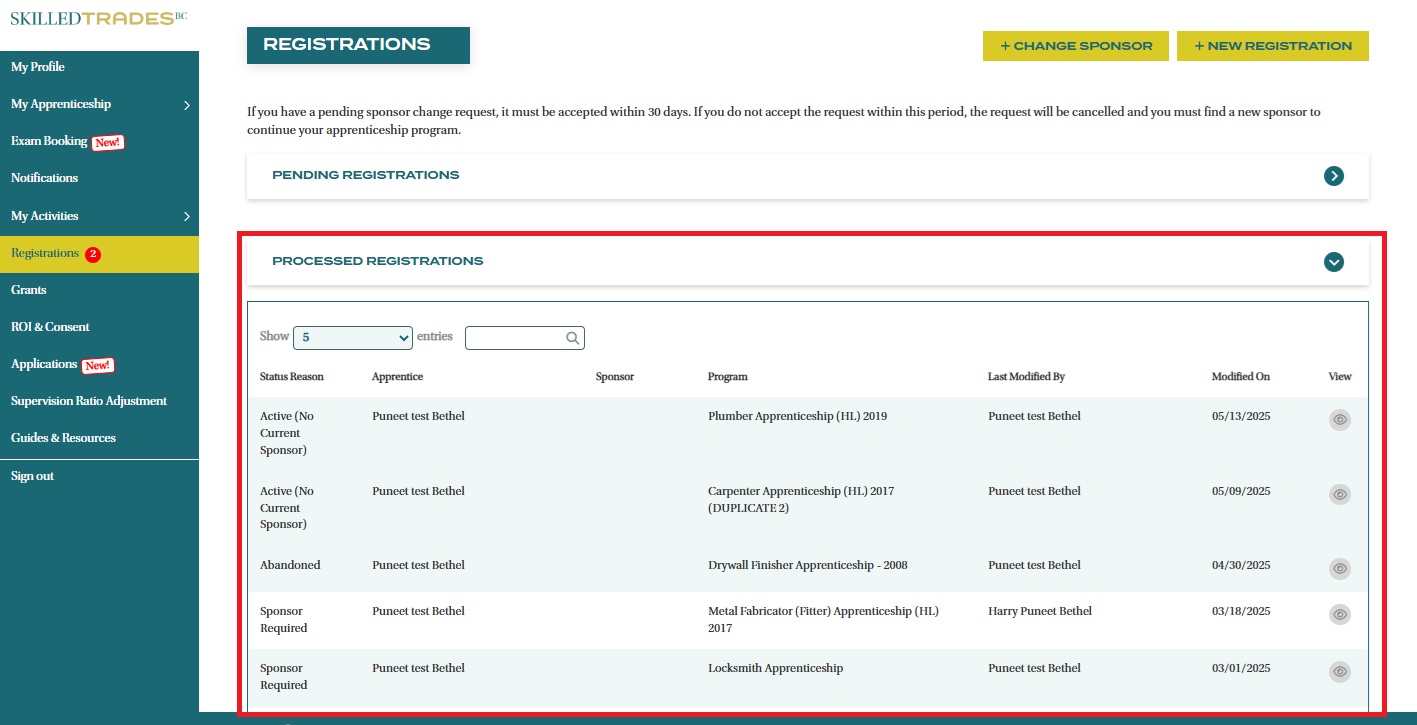
- After logging in, click on Registrations from the left navigation menu.
- Click the “+ New Registration“ button.
- Select the trade and program you would like to register.
- Select Yes or No for "Out of Province experience".
- Enter your sponsor’s SkilledTradesBC organization ID. The system will validate the ID to ensure it is valid.
- DO NOT include leading zeros when entering organization IDs. For example, enter “012345” as “12345” to ensure proper search results).
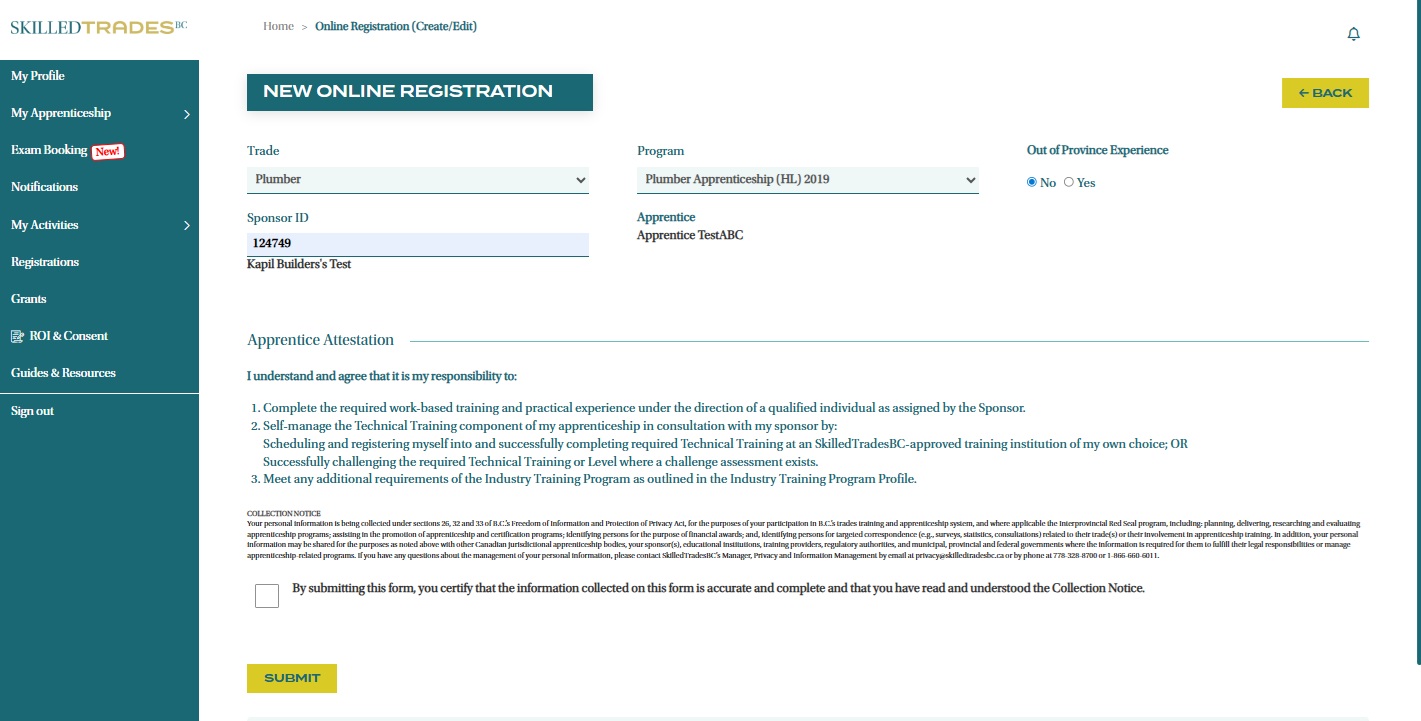
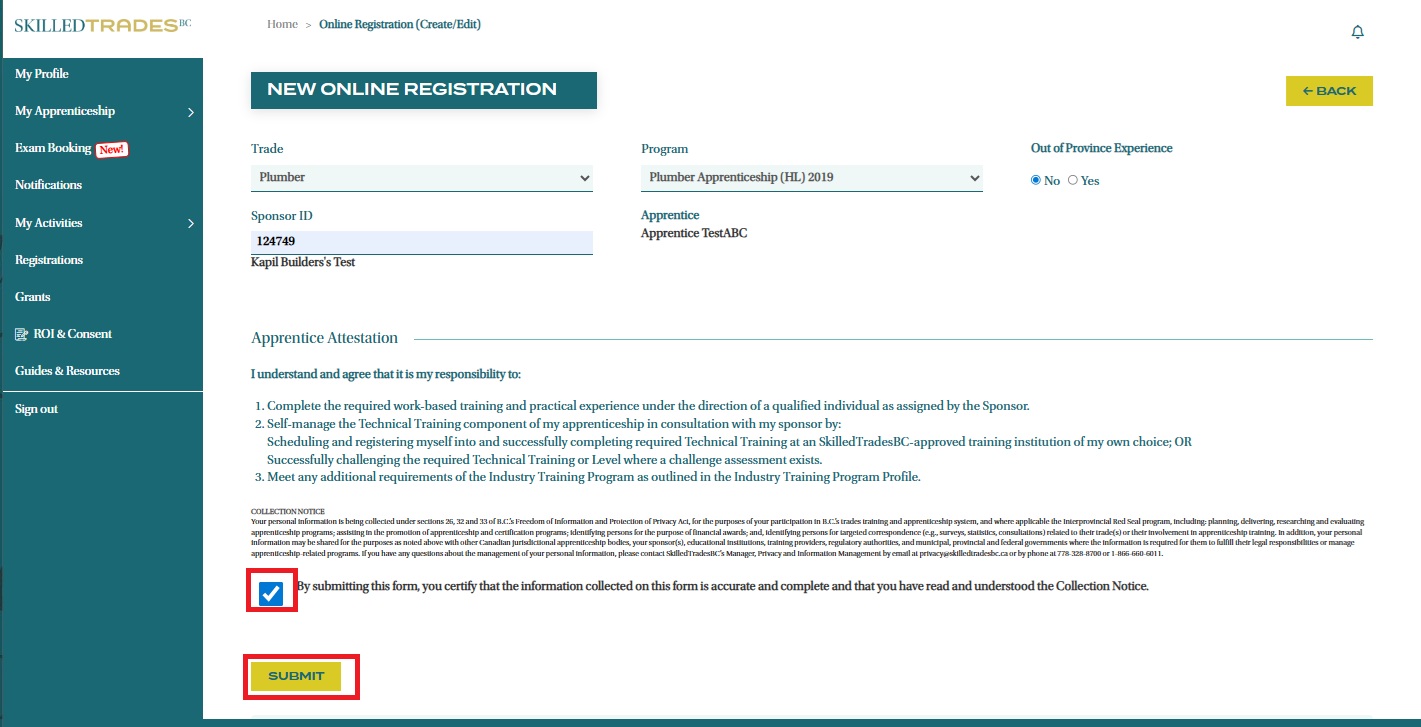
- Review and complete the Apprentice Attestation.
- Upon submission, the registration will appear under "Pending Registrations". The registration request is sent to your sponsor for review.
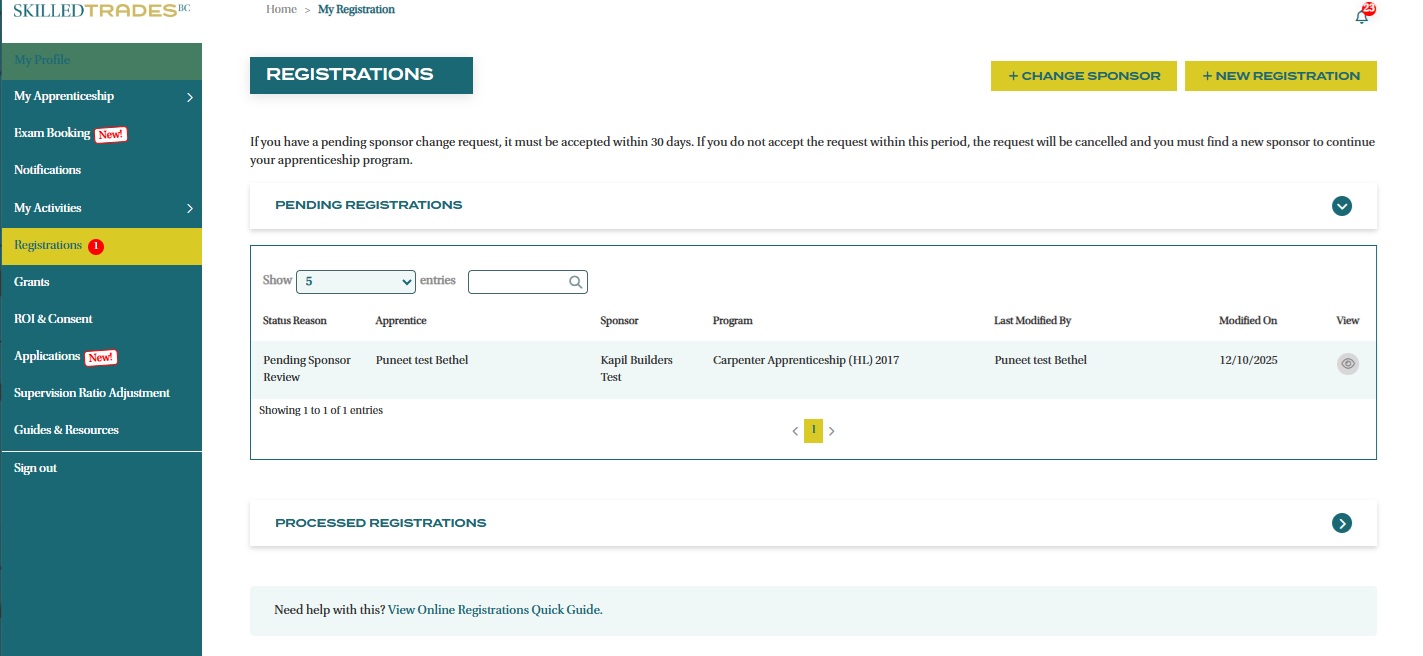
- The registration request(s) can be viewed under "Processed Online Registration" once SkilledTradesBC has reviewed and approved them.
Need help?
Contact us by:
- Submit inquiries through “My Apprentice Inquiries” section
- Email: customerservice@skilledtradesbc.ca
- Phone: 778 328 8700/ Toll Free in British Columbia: 1 866 660 6011
Last updated: December 2025